
If you have searched for PushWiki com, you may have noticed something slightly confusing: the name sounds like a traditional wiki, but the website does not work exactly like Wikipedia.
I recently looked through the current PushWiki com website to see what it actually offers, what kind of information it publishes, and whether there are any reasons to be cautious. One thing became clear quite quickly: the exact domain matters.
There are several websites using names that look similar to “PushWiki,” including domains with a hyphen or different extensions. They should not automatically be treated as the same website.
This guide focuses specifically on pushwiki com and explains what visitors can realistically expect from it.
What Is PushWiki com?
PushWiki com is a general-interest information website. Its current navigation includes categories such as Business, Education, Finance, Health, Law, Technology, and Travel. The homepage also contains articles about consumer technology, online services, business topics, public figures, finance, and digital trends.
So, despite the “wiki” part of the name, I would not describe it as a community-edited encyclopedia.
There is no obvious public editing system where visitors can create and revise pages in the same way they can on Wikipedia. Instead, PushWiki uses a more familiar blog or online publication format, with article titles, publication dates, categories, authors, and a search function.
That distinction is important because it changes how you should use the information.
If you want a quick explanation of a topic, a PushWiki article may be useful. If you need authoritative information for a legal, medical, financial, or technical decision, it is better to use the article as a starting point and then check the original source.
What Kind of Content Does PushWiki Publish?
The current homepage gives a good idea of the site’s broad approach.
For example, articles currently listed include topics such as:
- Business and entrepreneurship
- Digital publishing platforms
- iPhone IMEI information
- Artificial intelligence and chatbots
- Banking and withdrawal rules
- Apple Pay and retail payments
- Biographical information
- Technology trends
- Travel and other general-interest subjects
The site currently has several main categories, including Business, Education, Finance, Health, Law, Technology, and Travel.
That broad coverage can be useful when you are researching something casually and don’t want to jump between several small websites.
At the same time, broad coverage has one downside: you should not assume that every article has the same level of expertise.
Is PushWiki com the Same as Push-Wiki.com?
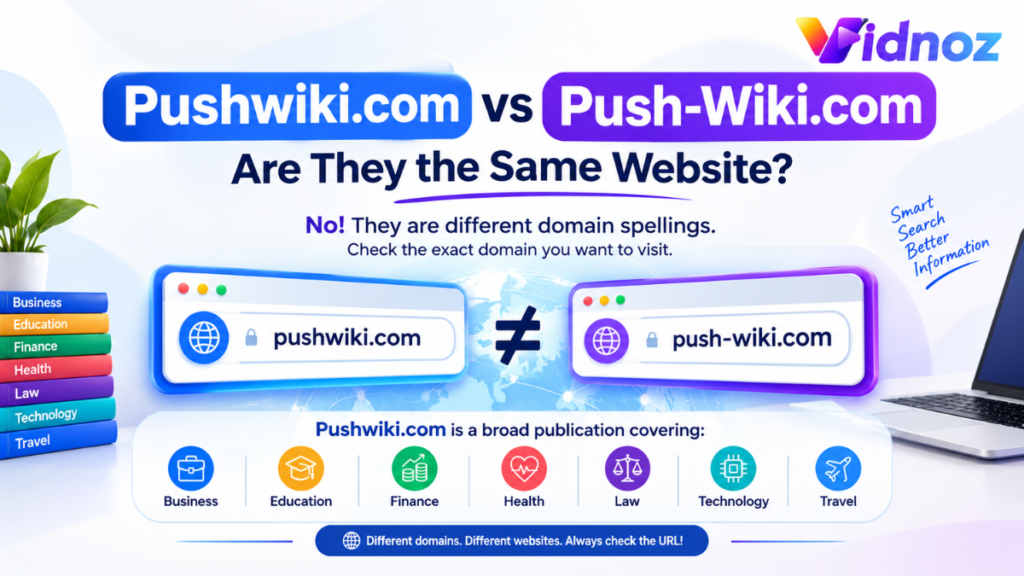
This is probably the biggest source of confusion around the name.
Pushwiki com and push-wiki.com are different domains.
The hyphenated push-wiki.com currently presents itself as a technology and AI information website, with content around technical guides, AI tools, reviews, and technology news.
The non-hyphenated pushwiki com, on the other hand, currently presents a much broader publication covering areas such as business, education, finance, health, law, technology, and travel.
This is why copying information from a search result without checking the actual address can cause problems.
A simple example
Imagine you search Google for:
PushWiki AI tools
You may see an article from push-wiki.com.
Later, you search:
PushWiki finance
You may find pushwiki com.
The names look almost identical, but you are not necessarily looking at the same website.
Always check the complete domain in your browser before assuming two pages belong to the same publisher.
How to Use PushWiki com
If you want to browse PushWiki, the process is straightforward.
Step 1: Check the domain
Open your browser and enter the website address carefully.
Look for:
pushwiki com
Do not assume that another domain with “PushWiki” in its name is the same website.
This small habit has saved me from confusing similarly named websites more than once when researching online.
Step 2: Start with the category
The website currently provides categories such as Technology, Finance, Business, Education, Health, Law, and Travel.
If you already know your subject, using the category can be faster than scrolling through the homepage.
For example, if you want information about an iPhone-related topic, start with Technology rather than browsing unrelated business articles.
Step 3: Read the entire article
Don’t rely only on the title or the first paragraph.
This is particularly important with articles about:
- Banking
- Finance
- Legal rules
- Health
- Technology specifications
- Security
- Government policies
A headline can simplify a complicated issue. The details later in the article may contain important qualifications.
Step 4: Check the date
Look at when the article was published.
This matters much more for some subjects than others.
A basic explanation of what an IMEI number is may remain useful for years. A banking rule, phone feature, software setting, or payment policy can change much faster.
For example, PushWiki currently has articles dated August and September 2026, including articles discussing financial rules, Apple Pay, AI chatbots, and consumer technology.
If you are reading an older article about a changing service, look for a newer official source before acting on it.
Step 5: Verify important claims
This is the step I would not skip.
Suppose an article says that a particular bank has changed its withdrawal rules. Don’t immediately change the way you use your bank account.
Instead:
- Read the PushWiki article.
- Note the specific claim.
- Visit the bank’s official website.
- Check its latest policy or announcement.
- If necessary, contact the bank directly.
The same approach works for Apple services, government regulations, phone specifications, health advice, and software features.
The article can save you research time without becoming your only source.
Is PushWiki com Safe?
There are two different questions here:
Is the website technically safe to visit?
and
Can every article on it be trusted without checking anything else?
Those are not the same question.
A third-party website checker currently reports that PushWiki com has a valid SSL certificate and describes the domain as likely safe to access. It also notes that the domain has been registered for several years.
At the same time, that service points out some limitations, including hidden WHOIS ownership information and relatively low traffic. It also correctly notes that an SSL certificate by itself does not prove that a website’s content is accurate or trustworthy.
That is a sensible distinction.
The padlock icon in Chrome, Safari, Firefox, or Edge mainly tells you that the connection is encrypted. It does not mean that every statement on the page has been independently verified.
My practical rule
For ordinary reading, I would treat PushWiki like any other general information website.
For something that could cost me money, affect my health, change a legal decision, or cause me to alter an important account setting, I would verify the information elsewhere.
That’s not specific to PushWiki. It is simply a good internet habit.
Why HTTPS Still Matters
When you visit a website, your browser normally displays a secure connection indicator when HTTPS is being used.
PushWiki com currently has HTTPS/SSL support, and third-party domain information also detects an SSL certificate for the site.
If you are browsing on a phone, you may not even think about this.
For example, if you’re using:
- Google Chrome on Android
- Safari on an iPhone
- Microsoft Edge on Windows
- Chrome or Firefox on a Mac
your browser will normally warn you if there is a serious certificate or connection problem.
Still, don’t enter passwords, card details, or other sensitive information into an unfamiliar website simply because it has HTTPS.
Security is about more than the padlock.
A Real-World Example: Checking an iPhone
One current PushWiki article covers checking an iPhone’s IMEI.
This is a useful example of how I would approach an informational article.
Suppose you’re buying a used iPhone.
You might read a general guide to understand:
- What an IMEI number is
- Where to find it
- Why it matters
- What information an IMEI check can reveal
But I would not stop there.
Before paying the seller, I would also:
- Compare the IMEI shown on the device with the packaging where appropriate.
- Check the phone’s settings.
- Make sure the device is not locked to another person’s Apple account.
- Test the phone physically.
- Check the seller’s documentation.
- Use an appropriate official or reputable carrier/device-checking service where available.
The PushWiki article can explain the subject. The actual purchase still needs your own checks.
That is the difference between using an article as a research tool and blindly trusting an article.
Another Example: Apple Pay
PushWiki also currently has an article discussing whether Home Depot takes Apple Pay.
This is the kind of question where online information can become outdated.
Suppose you’re standing in a store with an iPhone and Apple Wallet already configured.
Instead of assuming that an article published months ago guarantees what will happen at a particular checkout, you should consider the current store policy, location, payment terminal, and any recent changes.
Technology and payment support can change.
A good article gives you context. The current merchant or service information gives you confirmation.
Common Mistakes People Make When Searching for PushWiki
Mistake 1: Ignoring the exact domain
This is the biggest one.
pushwiki com and push-wiki.com should not be treated as interchangeable.
Always look at the complete address.
Mistake 2: Assuming “wiki” means Wikipedia-style editing
The name may create that expectation, but PushWiki com currently operates more like an article-based publication.
There is no reason to assume that readers can edit its articles collaboratively simply because “wiki” appears in the brand name.
Mistake 3: Treating an article as an official source
If an article explains a government rule, bank policy, medical issue, or product feature, find the primary source too.
For example:
Good approach:
Read article → understand issue → check official source → make decision.
Risky approach:
Read article → assume it must be current → act immediately.
Mistake 4: Ignoring publication dates
An old article can be perfectly written and still be outdated.
This happens frequently with:
- AI tools
- Smartphone features
- Banking rules
- Streaming services
- Software
- Travel requirements
- Online payment systems
Mistake 5: Giving a website too much personal information
You usually don’t need to provide an unfamiliar information website with sensitive information just to read an article.
Avoid entering passwords, banking credentials, recovery codes, or unnecessary personal information when there is no clear reason to do so.
What I Like About PushWiki com
The strongest feature is its wide range of subjects.
If you are researching several unrelated questions, you can find business, technology, finance, education, law, health, and travel topics in one place.
I also find the category-based layout easier to understand than websites that put hundreds of unrelated posts on one endless page.
Another useful feature is the search box. If you already know the question you are trying to answer, searching directly can be quicker than browsing through categories.
Where I Would Be More Careful
The biggest limitation is also connected to the site’s broad subject coverage.
A website covering many areas cannot automatically be treated as an expert authority in every field.
For example, I would approach these differently:
General technology explanation:
A PushWiki article may be enough to understand the basic idea.
Banking rule:
Check the bank or regulator.
Legal question:
Check the applicable law or speak with a qualified professional.
Medical question:
Use a qualified healthcare source or professional.
Product specification:
Check the manufacturer’s current specifications.
This approach gives you the convenience of online articles without relying on one website for everything.
Is PushWiki com Worth Using?
Yes, if you use it for what it appears to be: a general information and article website.
It can be useful when you want a simple explanation, are exploring a new subject, or need a starting point for further research.
I would not use it as the only authority for a decision involving significant money, health, legal rights, account security, or other serious consequences.
That’s actually a reasonable standard for almost every general-interest website.
Final Thoughts
PushWiki com is easier to understand once you stop thinking of the name as a promise that it works like Wikipedia.
The current site is a broad online publication with categories covering business, education, finance, health, law, technology, travel, and other subjects.
The most useful habit is also the simplest one: check the exact domain before trusting what you are reading. Similar-looking PushWiki domains exist, and they can have completely different content and purposes.
For everyday research, PushWiki can be a convenient starting point. Read the article, check its date, look at the details, and then verify important claims against an official or primary source.
That extra minute of checking is usually worth it. It lets you get the convenience of online information without assuming that one website has the final answer to every question.