
If you searched for Hypackle, you may have noticed something strange: the name does not always lead to the same website or even the same type of service.
That confusion is real. When I checked current results for the term, I found several different websites using “Hypackle” or the very similar Hypackel name. The most established trail points toward browser gaming, while newer sites use the name for game directories and other unrelated projects. The older Hypackel GitHub presence also confirms a browser-game project and a “Hypackel Lite” version.
So, if you are looking for Hypackle because you want to play games online, the first thing to understand is this:
Hypackle is commonly used as a search term for Hypackel-style browser gaming sites where games can be played directly through a web browser.
The exact website matters, though. Not every site using the name is operated by the same people, and some current sites have completely different purposes.
What Is Hypackle?
In the browser-gaming context, Hypackle refers to a collection of websites and projects associated with free, browser-based games.
The older Hypackel project has a public GitHub profile and a GitHub Pages site. Its project history includes a large collection of browser games, while its older homepage now says that the original site has reached its end of life.
There is also a Hypackel Lite project that describes itself as a lightweight browser-game site. Its public repository lists features such as a clean interface, cross-platform support and progressive web app support.
This is why you may see several spellings when searching:
- Hypackle
- Hypackel
- Hypackel Lite
- Hypackel Games
- Hypackles
They should not automatically be treated as one official website.
That small spelling difference can make a big difference when you are deciding whether a particular website is trustworthy.
Why Do People Search for Hypackle?
The main attraction is simple: browser gaming is convenient.
You do not necessarily want to download a 2 GB game just to play for ten minutes. Maybe you are using an older laptop, a Chromebook, a shared computer, or a phone with limited storage.
Browser games solve that problem by letting the browser handle much of the work.
For example, I found the older Hypackel game project listing titles such as 2048, Cookie Clicker, Doodle Jump, Geometry Dash-style games, Minecraft Classic, Moto X3M, Slope, Tunnel Rush, Wordle and many others.
How Hypackle-Style Browser Gaming Works
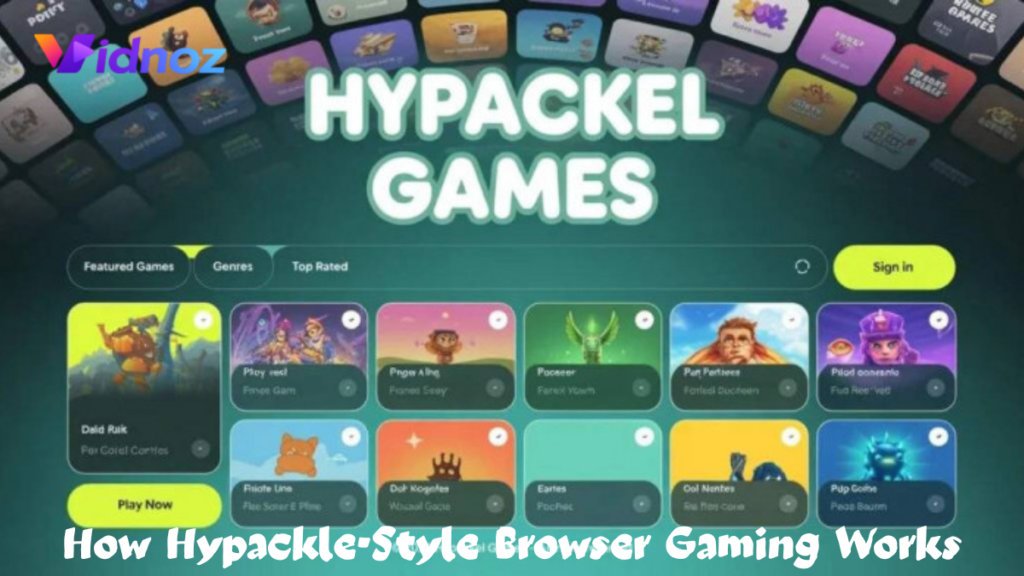
The basic process is not complicated.
You open a supported browser such as:
- Google Chrome
- Microsoft Edge
- Mozilla Firefox
- Safari
Then you visit the game site, browse its library and select a title.
The game normally loads inside the webpage instead of installing a traditional Windows, Android or iOS application.
That is particularly useful on devices where installing software is inconvenient.
For example, imagine you have a Chromebook with 64 GB of storage. You may not want to fill that storage with games. A lightweight browser game can be much easier to try because you can simply close the tab when you are finished.
The same idea works on an ordinary Windows laptop. You can open a game in Chrome, play for a while and close the tab afterward.
How to Play Hypackle Games Step by Step
Because there are multiple sites using similar names, I recommend following a few basic checks before playing.
Step 1: Check the spelling and domain
Do not assume that the first result you see is automatically the original Hypackel project.
The older public Hypackel project has a documented GitHub presence, which makes it easier to verify its history.
A completely unfamiliar domain using the same name deserves more caution.
Step 2: Open the game library
Once you are on a legitimate-looking browser-game site, look through the categories.
Common categories include:
- Arcade
- Puzzle
- Racing
- Sports
- Action
- Strategy
- Casual
- Multiplayer
Some current sites advertising Hypackel games have very large libraries, although the exact number varies considerably from one site to another. For example, one current site advertises more than 1,700 games, while another claims more than 400.
I would not treat those numbers as a guarantee. Game libraries change, and different sites use the Hypackel name.
Step 3: Start with a simple game
If you are testing a site for the first time, start with something lightweight.
A simple puzzle or arcade game is a better test than immediately opening a graphics-heavy 3D title.
Watch how your browser behaves.
If the game loads normally and your computer stays responsive, you can try something more demanding.
Step 4: Check the controls
Browser games usually display their controls somewhere on the game page.
A racing game might use the arrow keys.
A puzzle game might use your mouse.
A mobile-friendly title may use touch controls.
If nothing happens, click once inside the game area. Some browser games do not respond to the keyboard until the game has focus.
Step 5: Give the browser a little time
One mistake I have seen repeatedly with browser gaming is assuming that a game is broken simply because it does not start instantly.
A game may need to load JavaScript files, images, audio and other resources.
If the page is otherwise working, give it a few seconds before repeatedly refreshing.
Repeatedly refreshing can actually make the experience worse, especially on a slow connection.
What Devices Can You Use?
Browser games are attractive because they are not tied to one operating system in the same way as traditional games.
A reasonably modern:
- Windows PC
- Mac
- Chromebook
- Android phone
- iPhone
- Android tablet
- iPad
may be able to run many browser games.
The important factor is not simply the operating system. Your browser, processor, RAM, graphics performance and internet connection all matter.
A basic 2D puzzle game can run comfortably on an inexpensive Chromebook.
A WebGL-based 3D game is another story.
If your laptop has only 4 GB of RAM and several Chrome tabs are already open, a demanding browser game may stutter.
A Realistic Example: Playing on an Older Laptop
Suppose you have a five-year-old Windows laptop.
You open Chrome and notice that the computer is already using a large amount of memory because you have Gmail, YouTube, several news websites and Google Docs open.
You launch a browser game and it feels slow.
The first thing I would do is not blame the game immediately.
Close unnecessary tabs.
Pause a YouTube video.
Open Windows Task Manager and look at memory usage.
Then reload the game.
That simple change can make a surprisingly large difference.
Browser gaming is still computing. The fact that a game does not require an installation does not mean that it requires no processing power.
What About Phones?
Phones can work well for simple browser games, but the experience depends heavily on touch controls.
A game designed around a keyboard and mouse may feel awkward on a touchscreen.
For example, a quick arcade game with large touch buttons may work nicely on an Android phone.
A game that expects precise mouse movements may be frustrating.
If you are using Chrome on Android or Safari on an iPhone, rotate the phone if the game recommends landscape mode.
Also remember that browser games can consume battery, especially games using graphics-intensive JavaScript or WebGL.
If your phone gets warm, the battery percentage starts falling quickly, or the game becomes less responsive, that is a sign to take a break.
The Biggest Problem: Not Every “Hypackle” Website Is the Same
This is the part I would pay the most attention to.
Search results for Hypackle are currently messy.
Some websites describe Hypackle as a browser-game platform. Others describe it as a game directory, productivity product, creative concept or something completely different.
There are also multiple Hypackel-branded game websites with different purposes.
For example, one current Hypackel site presents itself as a directory for Android games and says that its listings link users to official Google Play or App Store pages rather than hosting APK files.
That is very different from an old-style browser gaming site.
This is why you should judge the actual domain you are visiting, rather than assuming that every site with “Hypackle” in its title is part of one service.
Mistakes to Avoid When Using Hypackle
Mistake 1: Clicking every “Play” button
Some free gaming sites contain advertising around the actual game.
A large button saying “Download” may be an advertisement rather than the game itself.
Look carefully at the page.
If the game is supposed to run in the browser, you generally should not need to download a random .exe, .apk, .zip or browser extension simply to play it.
Mistake 2: Installing an unknown extension
Be particularly careful if a page tells you:
“Install this extension to continue.”
Stop and think.
A normal browser game should not automatically require a mysterious extension.
If an extension is genuinely needed, check its Chrome Web Store or Firefox listing, publisher information, permissions and reviews before installing it.
Mistake 3: Ignoring browser permissions
If a gaming site asks for access to your camera, microphone, notifications or location, ask yourself whether the game actually needs that permission.
A simple puzzle game does not need your location.
It does not need your microphone either.
There is no reason to grant unnecessary permissions just because a webpage asks.
Mistake 4: Using it on a restricted school or work network
You may see “unblocked games” associated with Hypackel in search results and old project descriptions.
However, a school, company or public network may intentionally block gaming websites.
Trying to bypass those restrictions can violate the organization’s rules.
If gaming websites are blocked on a school Chromebook or office computer, the sensible option is to follow the network policy rather than trying to defeat it.
Mistake 5: Assuming “free” means risk-free
Free browser games can still contain advertising, third-party scripts and tracking technologies.
“Free” only tells you that you are not paying for the game.
It does not automatically tell you everything about the website’s privacy practices.
Read the site’s privacy policy if you are concerned about what information it collects.
How to Make Browser Gaming Smoother
You do not need a powerful gaming PC for many browser games, but a few simple habits help.
Close unnecessary tabs
Chrome can consume significant memory when you have many tabs open.
Before launching a game, close anything you are not using.
Keep your browser updated
Use a current version of Chrome, Edge, Firefox or Safari.
Updates often contain security fixes as well as performance improvements.
Turn down graphics when available
Some 3D browser games provide quality settings.
If the game stutters, reduce graphics quality or disable unnecessary visual effects.
A stable 60 FPS experience is usually more enjoyable than high-quality graphics that constantly freeze.
Use a mouse for desktop games
A cheap wired mouse can make a big difference with browser games involving aiming, clicking or precision movement.
The trackpad on a laptop is convenient for ordinary browsing, but it is not always ideal for games.
Keep your device cool
Do not block the laptop’s ventilation openings.
If you are playing on a phone, avoid leaving it under a pillow or blanket.
Heat can cause performance throttling, which makes games run slower.
Is Hypackle Safe?
There is no single yes-or-no answer because “Hypackle” does not currently identify one clearly defined website.
The older Hypackel project has a public GitHub footprint, including repositories and a history of browser-game development.
But that does not automatically make every similarly named website safe.
A good rule is to evaluate the individual site.
Look for:
- HTTPS
- A clear domain
- A privacy policy
- Contact information
- A consistent site design
- Reasonable advertising
- No suspicious download prompts
- No unnecessary permission requests
- No demands for sensitive information
If a page constantly redirects you, opens multiple pop-ups or tells you to install unknown software, leave it.
There are plenty of browser games available without taking unnecessary risks.
Hypackle and Copyright: Something Players Often Forget
Another issue with browser-game websites is copyright.
A website may provide access to games without making it clear who owns or publishes them.
The fact that a game is available online does not mean that it is free from copyright restrictions.
This matters particularly with recognizable commercial games, unofficial ports and copied game assets.
If you are simply playing a legitimate browser game, that is one situation. Downloading or redistributing copyrighted game files is another.
For developers and website owners, this distinction is especially important.
Why Hypackle Can Still Be Useful
Despite the naming confusion, the basic browser-game idea has a genuine advantage.
Sometimes you simply want to play something for five or ten minutes.
You do not want:
- A huge installation
- A launcher
- A monthly subscription
- A complicated account setup
- A 30-minute update
A browser game can be much more convenient.
For example, a student might play a quick puzzle game during an approved break.
Someone waiting at an airport might use a browser game to pass ten minutes.
A person with an older laptop might prefer lightweight games that do not require a dedicated graphics card.
The important part is using the service sensibly and choosing a trustworthy website.
Final Thoughts on Hypackle
The biggest lesson I took from researching Hypackle is that the name itself is less reliable than the website behind it.
If you search for “Hypackle,” you may encounter browser games, Hypackel projects, game directories and unrelated websites. The older Hypackel project has a verifiable GitHub history, while several newer sites use similar branding for different gaming services.
For someone who simply wants to play a quick browser game, the idea is straightforward: use a modern browser, choose a lightweight game, avoid suspicious downloads and check the domain before trusting the site.
And if a Hypackle page asks you for an unexpected extension, strange software installation or unnecessary personal information, there is no reason to push through just because you want to play one game.
A five-minute game is not worth compromising the security of your computer or phone.
Next Read: sparkpressfusion com