
If you have searched for Classroom 15x, you may have noticed something confusing: not every website means the same thing by the term.
Some pages describe Classroom 15x as a modern classroom model built around smaller groups, flexible furniture, digital tools, and student-centered learning. Other websites use the same name for browser-based games. Because of that overlap, it is easy to read three different explanations and still wonder what Classroom 15x actually means classroom 15x.
For this article, I’m focusing on the education and classroom model rather than treating Classroom 15x as a particular piece of software.
The idea is fairly practical: instead of designing a classroom around rows of desks and one teaching style, you build a space and routine that can change depending on what students are doing.
That might mean a teacher-led explanation for ten minutes, group work for the next twenty, individual practice on Chromebooks afterward, and a short discussion before the lesson ends.
The technology matters, but it is not the whole point.
What Is Classroom 15x?
Classroom 15x is best understood as a modern approach to organizing teaching, classroom space, technology, and student activities.
There is no single official specification that every school follows. Online descriptions vary, and claims that the “15x” means a proven fifteen-fold improvement should be treated carefully. The term is better viewed as a framework or idea than as a standardized educational program.
A typical Classroom 15x setup may include:
- Flexible desks or tables that can be moved easily
- Areas for individual study and group work
- Laptops, tablets, or Chromebooks
- Interactive displays or projectors
- Digital learning platforms
- Short assessments and regular feedback
- Project-based activities
- Opportunities for students to work at different speeds
- Teacher-guided small groups
The important part is how these pieces work together.
A $2,000 interactive display will not automatically improve a lesson. Likewise, moving desks around does not make a classroom student-centered by itself.
The real improvement comes when the room, tools, and teaching method support the activity students actually need to do.
Why the Classroom Layout Matters More Than It Seems
One of the first things I would change in a traditional classroom is not the technology. I would look at the desks.
Rows are useful when everyone needs to face the teacher. They are less useful when students need to discuss a problem, build something, compare answers, or work on a project.
A flexible classroom might have three or four basic areas:
A teaching area:
A board or display where the teacher can explain a concept to everyone.
A collaboration area:
Tables that allow four or five students to work together.
A quiet area:
A few seats where students can read, write, or complete independent work without constant conversation around them.
A technology area:
Devices or charging stations that students can access when the lesson calls for digital work.
The room does not need expensive furniture. Even ordinary desks can be rearranged.
For example, six individual desks can be pushed together into two groups of three. After group work, they can be separated again for a quiz classroom 15x.
That simple change can make the classroom much more adaptable.
A Realistic Classroom 15x Lesson
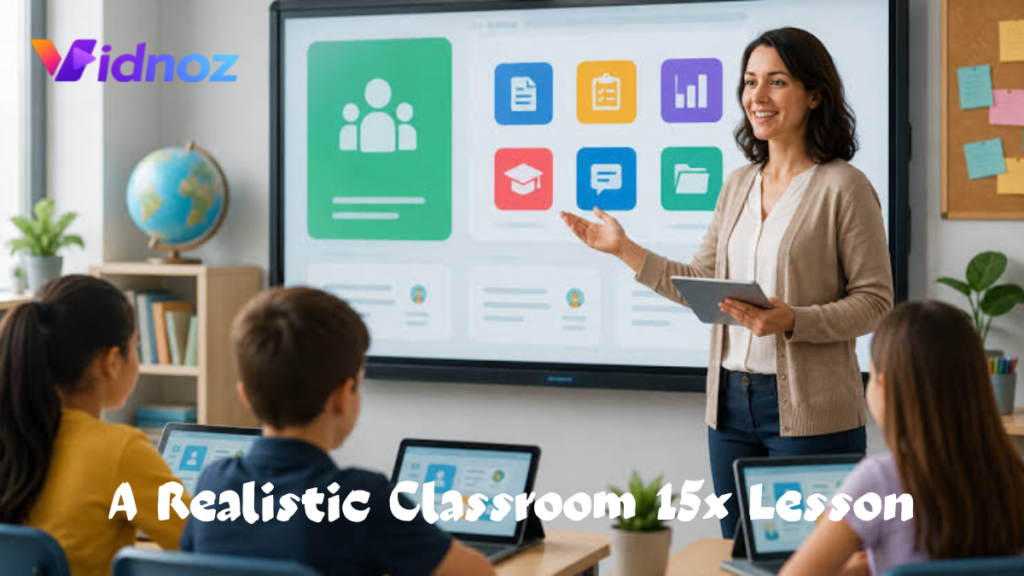
Imagine a Grade 7 science class learning about ecosystems.
A traditional lesson might look like this:
The teacher talks for 30 minutes, students copy notes, and everyone completes the same worksheet.
A Classroom 15x-style lesson could be different.
Step 1: Start with a short explanation
The teacher spends 10 minutes explaining food chains and showing a simple diagram on the classroom display.
Students are not expected to sit through a long lecture.
Step 2: Divide students into small groups
Groups receive different ecosystem cards.
One group works on a forest ecosystem. Another works on a pond. Another studies a desert environment.
Each group has to create a simple food web.
Step 3: Use technology where it actually helps
Students use Chromebooks to look up approved information or explore a teacher-provided digital resource.
They might use Google Slides to create a small presentation.
The device has a purpose. Students are not using technology simply because the classroom is supposed to look modern.
Step 4: Teacher works with a smaller group
While most students work independently, the teacher can sit with three or four students who are struggling with the difference between a food chain and food web.
This is one of the strongest advantages of flexible classroom organization: the teacher does not always have to stop the entire class to help a few students.
Step 5: Quick assessment
At the end, students answer three questions using a classroom quiz tool or a simple paper exit ticket.
The teacher can then see which concepts need another explanation tomorrow.
That is much more useful than discovering at the end of a unit that half the class misunderstood the basic idea.
Technology: Use Less, But Use It Better
A common mistake is thinking Classroom 15x means filling the room with technology.
It doesn’t have to.
A school could build a useful flexible classroom with:
- Five to ten Chromebooks
- One teacher laptop
- A projector or interactive display
- Reliable Wi-Fi
- Google Classroom or Microsoft Teams
- A document camera
- Headphones
- A few educational websites or subject-specific apps
That’s enough to begin experimenting.
For example, a teacher might post instructions and resources in Google Classroom. Students complete a short activity, submit their work, and then move to a hands-on task.
Another teacher might use Microsoft Teams to distribute assignments and communicate with students.
For quick checks, platforms such as Kahoot or similar classroom quiz tools can be useful, but they should support the lesson rather than become the lesson.
I’ve found that the best technology is usually the technology students barely notice.
If a teacher spends five minutes trying to make an app work, the technology is getting in the way.
Personalization Without Creating 30 Different Lessons
One of the most attractive ideas behind Classroom 15x is personalized learning.
But personalization does not mean a teacher has to create a completely different lesson for every student.
A simpler method is to create three levels of the same activity.
For example, in a mathematics lesson:
Level 1:
Students practice basic multiplication and division.
Level 2:
Students solve multi-step word problems.
Level 3:
Students solve problems and explain why their method works.
Everyone is studying the same broad topic, but students are working at an appropriate level.
Another option is to allow students to choose how they demonstrate understanding.
One student might write an explanation.
Another might create a diagram.
Another might give a short presentation.
The learning objective remains the same.
A Simple Classroom 15x Setup You Can Try
You do not need to redesign the entire school.
Start with one classroom.
Step 1: Identify the biggest problem
Don’t begin by asking, “What technology should we buy?”
Ask:
What is currently making learning difficult?
Is it noise?
Lack of collaboration?
Students waiting for help?
Poor access to devices?
Too much teacher talking?
Weak student participation?
Pick one problem.
Step 2: Change the furniture
Try arranging desks into small groups instead of permanent rows.
Leave enough space for students and teachers to move around.
If possible, keep at least one quieter area.
Step 3: Create simple routines
Students should know:
- Where to get materials
- Where to submit work
- When they may use devices
- How to ask for help
- Where to work independently
- What happens when they finish early
This sounds boring, but routines are what make flexible classrooms manageable.
Without routines, a flexible classroom can quickly become a noisy classroom.
Step 4: Introduce one digital workflow
For example:
- Teacher posts instructions in Google Classroom.
- Students read the task.
- Students complete the activity.
- They submit their work.
- Teacher reviews common mistakes.
- The next lesson starts with those mistakes.
Do this consistently before adding five more apps.
Step 5: Measure the result
After two or three weeks, compare what changed.
You might track:
- Assignment completion
- Number of students asking for help
- Time spent explaining instructions
- Participation during discussions
- Quiz results
- Student feedback
Don’t assume something worked just because the room looks more modern.
Look at what students actually do.
What Can Go Wrong?
This is where many classroom technology projects fail.
The first mistake is buying equipment before deciding how it will be used.
A school may spend money on tablets, smart displays, charging carts, and software subscriptions, only to discover that teachers still use the same old worksheets and lectures.
The second mistake is adding too many apps.
Students should not need one app for assignments, another for quizzes, another for messaging, another for documents, and another for every individual activity.
Choose a small set of reliable tools.
The third mistake is removing structure.
Student-centered learning does not mean students can do whatever they want.
They still need deadlines, clear instructions, teacher guidance, and expectations.
The fourth mistake is forgetting students who struggle with technology.
A student who understands fractions but cannot find an assignment inside an unfamiliar app has a technology problem, not a mathematics problem.
Give students time to learn the tools.
What About Phones?
Phones are complicated in a classroom.
They can be useful for specific tasks, but they can also create distractions.
If students are expected to use school-provided Chromebooks or tablets, there may be little reason to use personal phones at all.
A simple rule works better than a complicated one:
Use technology when the lesson requires it. Put it away when it doesn’t.
That keeps the focus on learning rather than devices.
Classroom 15x for Teachers With Limited Budgets
You don’t need a large technology budget to use the basic principles.
Try these inexpensive changes first:
Move the desks.
This costs nothing.
Create a quiet corner.
Use an existing bookshelf, a few chairs, or a small table.
Use printed learning stations.
Technology is optional.
Create reusable templates.
A teacher can prepare one Google Docs worksheet and reuse the structure for different lessons.
Use peer review.
Students can check each other’s work using a simple checklist.
Build short routines.
A five-minute daily reflection can provide useful feedback without requiring another app.
This is an important point: Classroom 15x should not become an excuse to spend money.
Good teaching can happen with basic equipment.
Where AI Fits Into Classroom 15x
AI tools can potentially reduce repetitive teacher work, but they need careful supervision.
For example, a teacher might use an AI assistant to brainstorm:
- Practice questions
- Different examples of a concept
- Reading discussion prompts
- Vocabulary exercises
- Draft lesson activities
The teacher should review the material before giving it to students.
AI can make mistakes, produce inappropriate difficulty levels, or present incorrect information.
It is better to think of AI as an assistant for preparation rather than an automatic teacher.
For instance, a teacher preparing a lesson on percentages could ask an AI tool for ten real-world problems involving shopping discounts, then check every question and adjust the numbers for the class.
That can save preparation time without handing teaching responsibility to a machine.
Is Classroom 15x Suitable for Every School?
Not necessarily.
A small flexible classroom may work particularly well for project-based learning, tutoring, workshops, language practice, STEM activities, and classes where discussion is important.
But some activities still benefit from a traditional arrangement.
During an exam, for example, students may need individual desks with enough separation.
During a direct demonstration, facing the teacher may make sense.
The best classroom is not permanently arranged one way.
It is easy to change when the learning activity changes.
There are also practical limitations.
Schools may have large class sizes, fixed furniture, weak Wi-Fi, limited budgets, or teachers who have not received enough training.
These problems should be addressed realistically rather than pretending that a new classroom model will solve everything.
Classroom 15x vs. a Traditional Classroom
The difference is not simply old versus new.
A traditional classroom may rely heavily on:
- Fixed seating
- Whole-class instruction
- Printed materials
- Teacher-led lessons
- One activity for everyone
A flexible Classroom 15x approach may use:
- Movable seating
- Small-group work
- Digital and printed resources
- Short teacher explanations
- Projects and practical activities
- Different levels of support
Neither approach is automatically better in every situation.
A good teacher might use both on the same day.
That flexibility is probably the most useful part of the idea.
A Practical Example From a Typical School Day
Consider an English class.
At 9:00, everyone faces the board while the teacher introduces a short story.
At 9:15, students move into groups and discuss the characters.
At 9:35, students work individually on a writing task.
Two students who need extra help sit with the teacher.
Another group uses a Chromebook to research background information for their writing.
At 10:00, students return to a common area and share a few examples.
The room changed several times, but the learning goal did not.
That’s the real promise of a flexible classroom: the environment adapts to the teaching activity instead of forcing every activity into the same physical arrangement.
What I Would Start With
If I were setting up a Classroom 15x-style room from scratch, I would resist the temptation to buy everything at once.
I’d start with movable furniture, a dependable display, a small number of shared devices, good classroom routines, and one digital platform.
Then I’d test one lesson.
After that, I’d ask students simple questions:
- What helped you learn?
- What distracted you?
- Where did you prefer to work?
- What was confusing?
- What should we change?
Their answers can reveal things a teacher may not notice from the front of the room.
Maybe students love group tables but become too noisy.
Maybe the quiet corner is always full.
Maybe the digital activity takes longer than the paper version.
Those details matter more than whether the classroom looks impressive in photographs.
Final Thoughts
Classroom 15x is best treated as an idea for making learning spaces more flexible, practical, and student-focused, rather than as a magic formula or a guaranteed “15x improvement.”
The most useful changes are often surprisingly ordinary: movable desks, clearer routines, smaller working groups, better use of teacher time, and technology that solves a real problem.
If a school has the budget for advanced devices and interactive displays, those tools can certainly add possibilities. But they should come after the teaching strategy, not before it classroom 15x.
A classroom doesn’t become better because it has more screens.
It becomes better when students understand what they are learning, know what they are supposed to do, can get help when they need it, and have enough freedom to participate rather than simply sit and listen classroom 15x.
That is the part of the Classroom 15x idea worth keeping.
Next Read: hypackle